Monero is a secure, untraceable and resilient digital currency. We believe it is the successor to Bitcoin. Read why.

How to Mine Monero in 2026 – CPU Mining & the GPU Reality

Last updated on

Monero is still one of the few major cryptocurrencies you can mine at home. In 2026, Monero uses the RandomX algorithm, which is optimized for CPU mining and makes GPU mining largely inefficient. This guide explains exactly how to mine Monero today, why CPUs beat GPUs, and how to start mining safely in a few minutes.

We will first explain the current state of GPU mining vs CPU mining for Monero, then cover:

  • - Advantages and disadvantages of GPU mining after RandomX
  • - How Monero mining works on Linux, Windows and macOS
  • - Solo vs pool mining in 2026
  • - A step-by-step guide to mining Monero on Linux with XMRig (CPU-focused)
  • - When (if ever) it still makes sense to mine with a GPU
  • - Why we do not recommend Minergate and similar closed-source solutions

If you simply want the short answer: in 2026 the best way to mine Monero is to use a modern multi-core CPU + XMRig + a reputable mining pool.


1. CPU vs GPU mining after RandomX

Before the RandomX upgrade, Monero used CryptoNight-based algorithms, and GPUs often provided a good balance of hashrate and efficiency. This is no longer the case.

RandomX is deliberately designed to:

  • - Use a large, random memory footprint
  • - Favor general-purpose CPUs with decent cache and fast RAM
  • - Make ASICs and highly-optimized GPUs less competitive

In practice this means:

  • - A good desktop CPU can match or outperform many GPUs on Monero hash rate.
  • - GPUs typically consume more power per hash on RandomX.
  • - Buying GPUs specifically to mine Monero is almost never cost effective.
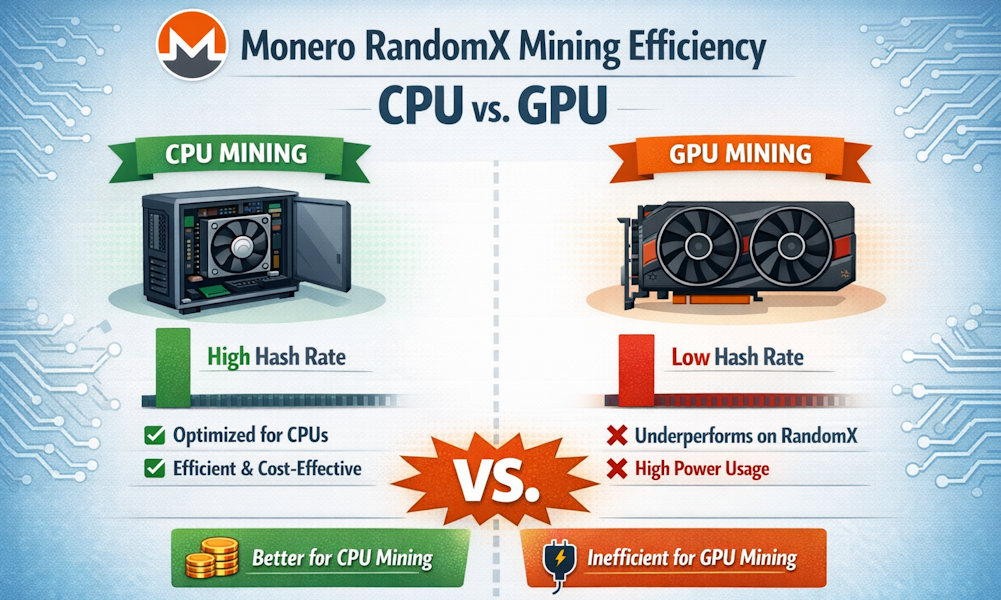
Illustrative comparison of Monero RandomX CPU vs GPU mining efficiency
Conceptual diagram: RandomX is intentionally optimized for general-purpose CPUs, not GPUs.

You can still configure mining software to use both CPU and GPU, but for most users the CPU will do the real work while the GPU adds relatively little.


2. Advantages and disadvantages of GPU mining (in 2026)

Although GPU mining is no longer recommended for Monero, it is useful to understand why some people still consider it and what trade-offs they face.

a. Potential advantages

  • Multi-GPU flexibility
    A single motherboard can support multiple GPUs. If you already operate a GPU farm for other coins, you may choose to allocate a small portion of it to Monero as an experiment.
  • Re-use of existing hardware
    If you already own GPUs (for gaming, rendering or other PoW coins), adding Monero to your mix may not require new hardware.

b. Disadvantages (and why we recommend CPUs instead)

  • Poor efficiency on RandomX
    On Monero’s current algorithm, GPUs generally deliver significantly fewer hashes per watt than modern CPUs.
  • Higher hardware cost per hash
    A CPU-based system is usually cheaper and more flexible than a comparable GPU rig aimed solely at Monero.
  • Complex drivers and maintenance
    GPU drivers (especially for multiple cards) introduce complexity and potential instability for relatively little gain on Monero.
  • Opportunity cost
    If you already own GPUs, they are often better used for other algorithms where GPUs remain competitive, rather than for Monero.

In summary: for new Monero miners, we strongly recommend focusing on CPU mining and treating GPU mining as historical.


3. Monero mining on Linux vs Windows and macOS

The most popular miner for RandomX is XMRig, which runs on Linux, Windows and macOS.
  • Linux – Excellent choice for dedicated rigs and servers. No license cost, stable, and works well headless (remotely managed). Most serious miners use Linux.
  • Windows – Convenient on desktop machines, but antivirus software often flags miners. Good choice if you are mining on a personal PC you also use for other tasks.
  • macOS – Can mine, but Apple hardware is expensive for the hash rate you get. Reasonable if you just want to experiment on hardware you already own.
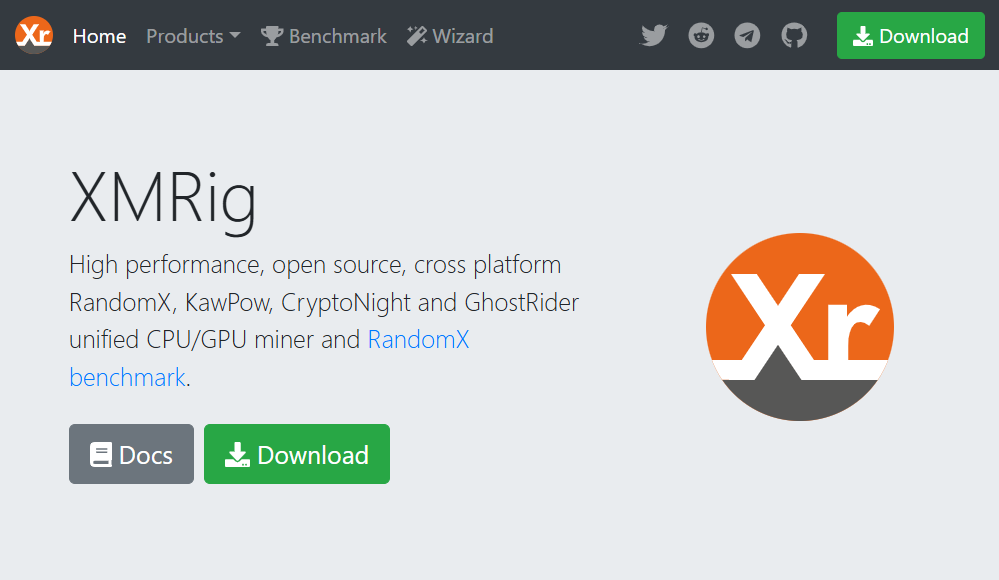
Screenshot of XMRig website
Screenshot of XMRig website.

This tutorial focuses on Linux (Fedora and Ubuntu), since it is well suited for long-running mining systems.


4. Solo vs pool mining

You can mine Monero in two main ways:

  • Solo mining – your miner connects to your own full Monero node and tries to find blocks by itself.
  • Pool mining – your miner connects to a pool, and your hashrate is combined with many others. Rewards are shared proportionally.

Because Monero’s network hashrate is high, solo mining is generally only practical if you have a very large hashrate. Most miners obtain more predictable payouts by using a pool.

For example, a modest home CPU rig might realistically find:

  • - Solo: a block only after many months (or not at all, due to pure luck)
  • - Pool: small payouts every few hours or days

Most mining software is configured to use a pool by default. You will typically need to specify:

  • - Pool address (e.g. pool.supportxmr.com:443)
  • - Your Monero wallet public address (for payouts)
  • - Optionally a worker name or password (often just x)

If you would like to know how much you can earn by mining Monero, you can use the Monero mining calculator on this site.
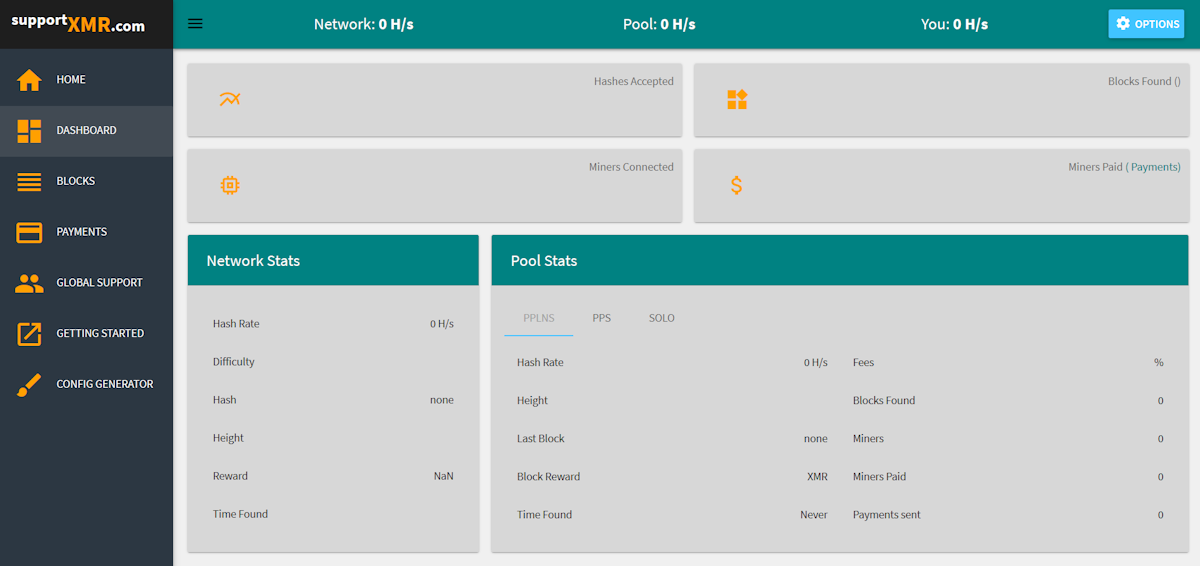
Example Monero mining pool dashboard showing hashrate and payouts
Example mining pool dashboard showing current hashrate, shares and historical payouts.

5. Recommended approach in 2026: CPU mining with XMRig

The rest of this guide focuses on a practical, up-to-date way to mine Monero: CPU mining using XMRig, connected to a mining pool.

5.1. Prerequisites

  • - A modern 64-bit CPU (recent AMD Ryzen, Threadripper, EPYC or Intel i5/i7/i9/Xeon are ideal).
  • - At least 8 GB of RAM (16 GB recommended for larger rigs).
  • - A reliable internet connection.
  • - A Monero wallet address for receiving payouts (GUI wallet, hardware wallet, or other trusted wallet).

For wallet setup, see the official Monero downloads at getmonero.org.

5.2. Choosing a mining pool

There are many reputable Monero pools. A few examples:

Mining Pools

Pool fees are typically around 0.5%–1%. Check the pool’s website for current details and payout thresholds.


6. CPU mining Monero with XMRig on Fedora

These steps are for recent versions of Fedora. Commands should be run as a user with sudo access.

6.1. Install required packages

sudo dnf install git cmake gcc gcc-c++ make libmicrohttpd-devel \ libssl-devel hwloc-devel json-c-devel -y

6.2. Download and build XMRig

cd ~ git clone https://github.com/xmrig/xmrig.git cd xmrig mkdir build && cd build cmake .. make -j$(nproc)

After compilation, the XMRig binary will be in the build directory.

6.3. Generate a basic configuration

The easiest way to configure XMRig is to use the official web-based wizard:

  1. Visit https://xmrig.com/wizard.
  2. Select RandomX and choose Monero (XMR).
  3. Enter your pool URL and Monero wallet address.
  4. Download the generated config.json.
  5. Place config.json in the same directory as the XMRig binary (e.g. ~/xmrig/build/).

A simplified example of a config snippet:

{
  "autosave": true,
  "cpu": {
    "enabled": true,
    "huge-pages": true,
    "priority": null
  },
  "pools": [
    {
      "url": "pool.supportxmr.com:443",
      "user": "YOUR_MONERO_WALLET_ADDRESS",
      "pass": "worker1",
      "tls": true
    }
  ]
}

Important: replace YOUR_MONERO_WALLET_ADDRESS with your own public address.

6.4. Enable huge pages (optional but recommended)

sudo sysctl -w vm.nr_hugepages=128

You can make this persistent by adding the setting to /etc/sysctl.conf.

6.5. Start mining

cd ~/xmrig/build ./xmrig

XMRig will display your hashrate, accepted shares, and connection details. If you see accepted shares, you are mining.


7. CPU mining Monero with XMRig on Ubuntu

These steps are for Ubuntu 20.04 or newer. Other Debian-based distributions will be very similar.

7.1. Install required packages

sudo apt update sudo apt install -y git build-essential cmake libmicrohttpd-dev \ libssl-dev libhwloc-dev

7.2. Download and build XMRig

cd ~ git clone https://github.com/xmrig/xmrig.git cd xmrig mkdir build && cd build cmake .. make -j$(nproc)

7.3. Configure XMRig

Use the same XMRig configuration wizard described in the Fedora section. Place the generated config.json inside your build directory.

7.4. Enable huge pages (optional but recommended)

echo 'vm.nr_hugepages=128' | sudo tee -a /etc/sysctl.conf sudo sysctl -p

7.5. Start mining

cd ~/xmrig/build ./xmrig

Again, look for accepted shares and a stable hashrate. After a while, you should see payouts on your chosen pool’s dashboard and in your wallet.


8. What about GPU mining in 2026?

If you already have GPUs and still want to experiment with them on Monero, some miners and forks of XMRig can use GPUs in addition to CPUs. However:

  • - The performance gain from GPUs on RandomX is usually modest.
  • - Power consumption may increase significantly.
  • - Driver compatibility and setup is more complex than CPU-only mining.

For those reasons, this guide does not include detailed GPU driver and CUDA/ROCm instructions, as they largely duplicate what other GPU-oriented mining tutorials provide, while offering little benefit specifically for Monero.

If you choose to experiment anyway:

  • - Ensure you use actively maintained miners.
  • - Avoid closed-source miners of unknown origin.
  • - Monitor temperatures and power closely.

For most users, GPU mining on Monero should be considered an experiment, not a primary strategy.


9. Minergate and closed-source miners

The Monero community has historically been skeptical of Minergate and similar services due to:

  • - Reports of lower-than-expected hash rates and payouts.
  • - Closed-source software, making independent verification impossible.
  • - Centralisation of mining power.

There are many reputable open-source miners and pools for Monero. For transparency and security, we do not recommend Minergate or any other closed-source mining software or pool for Monero.


10. Profitability and expectations

Monero mining is not a guaranteed way to make money. Whether it is profitable depends on:

  • - Your electricity price
  • - Your CPU model and hashrate
  • - How many hours per day you mine
  • - The Monero price over time

In many regions, Monero mining should be viewed as:

  • - A way to support the network
  • - A way to gradually accumulate some XMR
  • - A learning experience in cryptocurrency infrastructure

If your electricity costs are high, it may be financially better to buy Monero directly on an exchange instead of mining, while still running a full node or light mining setup to support the network.

Use our Monero mining calculator to estimate your potential daily, monthly and yearly returns with your own hardware and power costs.


11. Quick start checklist

  • - Install a trusted Monero wallet and back up your seed.
  • - Choose a reputable mining pool.
  • - Install XMRig on Linux, Windows or macOS.
  • - Create or download a config.json using the XMRig wizard.
  • - Enable huge pages and check your system temperatures.
  • - Start XMRig and confirm accepted shares on the pool dashboard.
  • - Monitor payouts, power usage and system stability.

Monero remains one of the few major cryptocurrencies that can still be mined effectively with commodity hardware. RandomX keeps mining accessible to ordinary users with standard CPUs, helping preserve the decentralised nature of the network.


Frequently Asked Questions about Mining Monero in 2026

Can I still mine Monero with a GPU in 2026?

Yes, you can technically mine Monero with a GPU, but it is not recommended. Monero uses the RandomX algorithm, which is optimized for CPUs. GPUs usually deliver fewer hashes per watt and are rarely profitable compared to CPU mining.

What is the best way to mine Monero in 2026?

The best way to mine Monero in 2026 is to use a modern multi-core CPU with enough RAM, the XMRig miner and a reputable Monero mining pool. This combination offers the best balance of efficiency, stability and decentralisation.

Do I need a powerful PC to mine Monero?

You do not need an extreme gaming PC or a huge rig. A recent desktop CPU with several cores and 8–16 GB of RAM can already mine Monero reasonably well. However, the more cores and the more efficient your CPU, the higher your hashrate will be.

Is mining Monero still profitable?

Profitability depends on your electricity price, your hardware and the Monero price over time. In many regions mining should be seen as a way to support the network and accumulate some XMR, rather than as a guaranteed income source. Always calculate expected returns using a Monero mining calculator before committing.

Can I mine Monero with my laptop?

Yes, you can mine Monero with a laptop, but you should be careful with heat and noise. Limit the number of CPU threads used by your miner, keep an eye on temperatures, and ensure good ventilation to avoid long-term damage.


If you have feedback, corrections or suggestions for improving this guide, please send them to hello@monero.how. Information on this site is provided for educational purposes only and does not constitute investment advice. Use at your own risk.

Follow us
Exchange instantly
Sponsor
Latest Price
Sponsor
Monero.how Tutorials
Why Monero vs Bitcoin
Monero ELI5 (Explain like I'm five) - a super simple explanation of how Monero works
How Monero's privacy works
Monero Infographic
How long transactions take
Transaction fees
Glossary of the most important Monero terms
A low-level explanation of the mechanics of Monero vs Bitcoin in plain English
How to use the Monero GUI wallet
How to create a Monero command line wallet
How to speed up initial blockchain sync
How to send and receive Monero on the command line
How to prove you've made a payment
How to restore a command line wallet from your 25 word seed
How to verify your funds with a private view key
How to buy Monero
How to buy Monero via Coinbase
How to Buy Monero Using LocalMonero
How to Buy Monero Using Binance
Set up a Monero wallet on a USB pendrive linux computer using a remote daemon
How to Mine Monero in 2026 – CPU Mining & the GPU Reality
How to mine Monero on Windows or Linux (Fedora or Ubuntu)
Monero mining calculator
How to run a Monero Node
Configure OpenAlias to more easily share your Monero address
How to Safely Hold Monero in Cold Storage
Create a paper wallet for secure offline storage
Display a Monero ticker on your Mac menu bar
Avoiding Google ad attacks
Trusted and untrusted sites
Send feedback, corrections or suggestions to hellomonero.how
Donations for running costs appreciated at 86oPE889B4qeJn14jkhQkPFnwRUV3Upd8TZjbU89JdWpH7NbECNHXMG67vSLCKZt1nTWK4v445cndXLNtw24WzmNGYs7WeH
Thanks to Monero developers and community members that answered questions that contributed to the content in this site: jollymort, hyc, moneromoo, smooth, jwinterm, debruyne, fluffypony, pero, needmoney90, ferretinjapan, idunk, saddam, wolf0, daveyjones, snipa, gingeropolous, markos, othe, m5m400, luigi1111, kenshi84
Disclaimer: This site contains opinion for informational purposes only and does not consitute investment advice. Information may contain errors and omissions. Use solely at your own risk. Services listed here are run by third parties and are not vetted by this site. The authors of this site and/or the authors of articles linked to from this site may have financial investments that may bias their opinions, including ownership of Monero currency. Always do your own research, form your own opinions, and never take risks with money or trust third parties without verifying their credibility. Remember to take your computer security seriously and never use a computer or phone that is at risk of infection by untrusted software that may contain malware or viruses. © Copyright 2025.